Lifetime Deal now live — pay once, scrape forever
There is $3,075 a month sitting in your city's live listings — unclaimed.
Roofers, contractors, and pool cleaners are ready to buy — but your competitors are reaching them first. LeadRM pulls fresh, verified decision-maker emails straight from the public listings that are live today, so you can close the gap before someone else does.
- 500
- Leads per search
- 6
- Live directories
- $0
- To start
Plans start free. No card required to create an account.
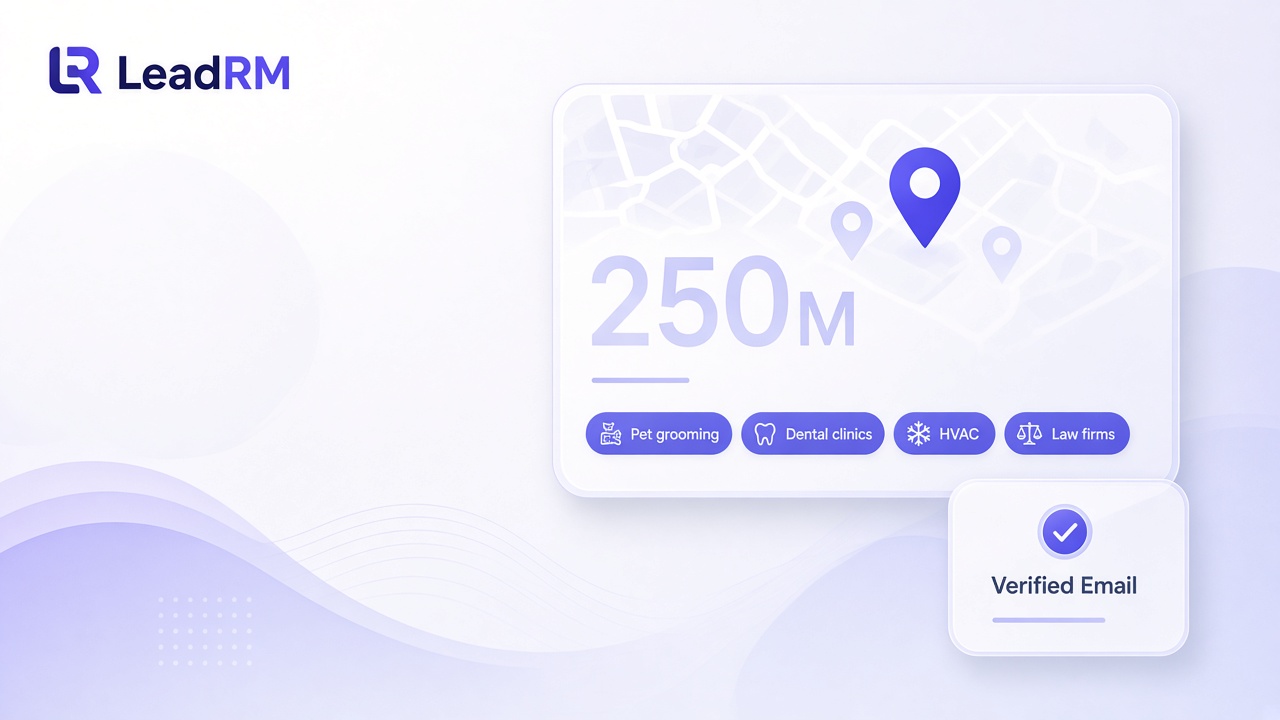
A local search, as it looks in the app
Type a trade and a city, pick one directory, and review the emails before you export. LeadRM does not send the email.
You are burning thousands on stale lead databases
Why buy outdated lists when you can scrape 500 live, up-to-date local businesses per search for a fraction of the cost? LeadRM reads the public directories local customers already use, rather than a corporate database that was purchased and left to go stale. Google Maps, Yelp, and Trustpilot are the sources for local owners. Google Play Store, Product Hunt, and G2.com stay available when the lead is a software company.
Google Maps
Search a trade and a city and pull the business that is listed right now, including the website on that pin.
Yelp
Read local service listings customers use to hire a roofer, a pool cleaner, or a contractor.
Trustpilot
Use a live public review profile when you want the company site behind a rating, not a years-old spreadsheet.
How a local lead gets onto your list
A search follows three steps inside the app, then you export. LeadRM never sends the email.
Step 1
Find the listing
Enter a niche such as roofers, pool cleaners, or contractors, plus a city. LeadRM searches Google Maps, Yelp, Trustpilot, Google Play Store, Product Hunt, or G2.com — one directory at a time.
Step 2
Save the business
LeadRM saves the businesses returned, up to the max you set, including a missing address or owner name. Those fields can be blank. A blank email is labeled No Email. Finding an email is a later step: Find Email (AI) costs 1 credit only when an email is saved.
Step 3
Verify the email
Verify Unchecked Emails is a separate action on Cold Leads. It does not run during Find Leads. Each checked address is marked Verified OK, Catch-all, Invalid, or Unknown. A blank email stays No Email. LeadRM does not send email. Export the cleaned list to Instantly, Smartlead, or SalesBlink.
What you can do in LeadRM
Search a live directory, enrich the website, verify the email, and export. You send from Instantly, Smartlead, or SalesBlink.
Search live directories
Search Google Maps, Yelp, or Trustpilot by trade and city. Google Play Store, Product Hunt, and G2.com are there when you need them. One directory at a time.
Owner email from the website
When a listing returns a website, LeadRM looks up an email on that domain and can prefer an owner, founder, or CEO address.
Built-in email verification
Check addresses inside LeadRM. Each result is ok, catch-all, invalid, or unknown. LeadRM does not send email.
CSV import
Map columns from a spreadsheet you already have. LeadRM deduplicates by email and keeps unmapped columns.
Export to outreach tools
Download a cleaned CSV for Instantly, Smartlead, or SalesBlink, including company size and decision-maker contact. The file stays on your device.
Universal Automation
Pabbly Connect, HubSpot, Make, Zapier, and custom webhooks. Instantly push enriched decision-maker leads directly into your cold outreach tools, CRM, or automated workflows using LeadRM's native outbound webhook engine. Fully compatible with Pabbly Catch Webhook, Make Webhooks, and Zapier.
Enrich decision makers
Select at least 20 leads and click Enrich. The confirm step estimates up to 10 credits per selected lead. 10 credits when a decision-maker contact is found. 2 credits when only a business email and/or social profile is found. No charge when nothing is found.
Shared workspace
People on the same workspace share one lead list, and a member sees the owner's leads. Monthly plan credits are one shared pool. Purchased top-up credits stay with the person who bought them.
CRM stages
Move records through Cold Leads, Opportunities, and Customers, with a Follow-Ups inbox for deals that need attention.
Limited-time offer
The LeadRM Lifetime Deal — one payment, lifetime lead flow
Stop renting access to your own pipeline. The Lifetime Deal on Growth, Pro, and Agency locks in that plan's monthly credit allowance forever — no subscription, no renewal, no price increases. While monthly competitors keep billing you, you keep scraping.
Pricing
Plans start free. Compare credits, lead storage, and team seats on the pricing page.
Your next $4,500 in deals is trapped behind bad contact data
Stop sending cold emails into the void. LeadRM extracts owner emails straight from their websites and runs built-in verification, so your pitches actually land. One job per stage — from a CSV you already have to a cleaned export ready for Instantly, Smartlead, or SalesBlink.
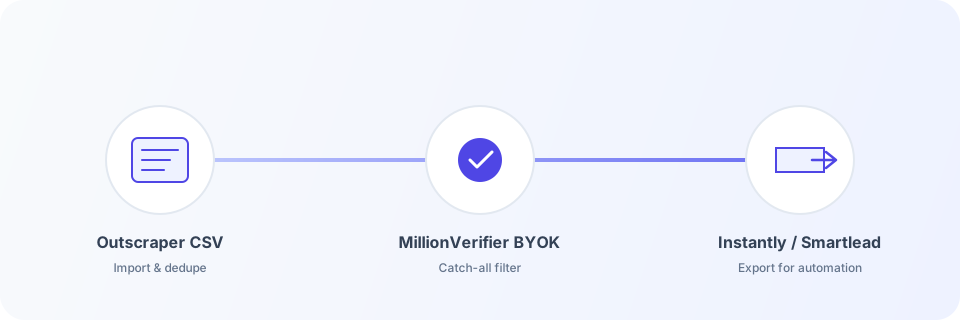
Step 1
Import a CSV
- • Map columns from a spreadsheet you already own
- • Assign campaign tags at upload
- • Dedupe and merge master records by email
Step 2
Verify on Cold Leads
- • Built-in check: ok, catch-all, invalid, or unknown
- • Credits apply per email actually checked
- • LeadRM does not send the email
Step 3
Download the export
- • Cold phase: Verified, in the selected campaign
- • Excludes globally unsubscribed leads
- • CSV stays on your device
Export rules
Strict defaults so Instantly, Smartlead, and SalesBlink imports stay clean.
- • Available from the Cold Leads phase
- • Pipeline stage must be Verified
- • Lead must be in the selected campaign / list (not All)
- • Lead must not be marked globally unsubscribed
- • Lead must have an email address
- • All in one file includes company size, decision-maker name, title, LinkedIn, email, and phone, plus Verified Email for the business address when verification is OK
- • Download is local — LeadRM does not upload to Instantly
Quick answers
Short reminders for the main tasks. The full walkthrough is the user guide.
How do I sign in?
- Open leadrm.app/app.
- Click Sign up and Create account, or Sign in if you already have one. Continue with Google works on the same form.
- Forgot password? is under the password field. Send reset link emails a link, then use Back to sign in.
How do I start a search?
- Click the green Find Leads button in the header.
- Enter a local service such as roofers, pool cleaners, or contractors, one data source, and a city. Max businesses to process is 1–500.
- Click Find leads and leave the banner up until it reports processed businesses, emails found, and credits used.
How do I export a list?
- On Cold Leads, filter with Verified OK, Catch-All, Invalid, or Unverified.
- Verify Unchecked Emails checks addresses already saved. It is separate from Find Leads.
- Choose one campaign under Campaign / List, then click Export for Automation. All in one file includes decision-maker columns. Verified Email is the business email only when verification is OK.
How do I enrich leads?
- On the leads table, select at least 20 leads and click Enrich. Fewer than 20 shows: Please select at least 20 leads to run a batch enrichment.
- The hint reads: Cost: 10 credits per successful contact found. The confirm step estimates up to 10 credits per selected lead. The batch looks for Owner, Business Owner, Principal, Founder, Co-Founder, President, CEO, Managing Partner, and Managing Director before anyone else.
- 10 credits when a decision-maker contact is found. 2 credits when only a business email and/or social profile is found. No charge when nothing is found.
How do I add credits?
- Plans start free.
- Open Pricing to compare plans, or upgrade from the app after you create an account.
- Open Billing for receipts.
FAQ for search and assistants
Straight answers about what LeadRM does, and what it does not.
How many leads can I search in LeadRM?+−
Each Find leads search processes up to 500 businesses from one directory. For local owners, start with Google Maps, Yelp, or Trustpilot. Google Play Store, Product Hunt, and G2.com are available when you need them. Storage depends on your plan. See https://leadrm.app/pricing.
Does LeadRM send email?+−
No. LeadRM never sends cold email. It prepares, verifies, and exports lead data for your outreach tools. Draft with AI is copy-paste only.
How does email verification work in LeadRM?+−
Click Verify Unchecked Emails on Cold Leads. LeadRM checks cold leads already in the CRM that have no result yet, up to your credit balance. Results are ok (Valid), catch-all, invalid, or unknown.
How does Find leads work?+−
Click + in the navbar and choose Find leads. Enter a local service such as roofers, pool cleaners, or contractors, one or more cities separated by semicolons or from a city list file, and one data source (Google Maps, Yelp, Trustpilot, Google Play Store, Product Hunt, or G2.com). Set Max businesses to process (1–500, shared across all cities). The search saves the businesses returned, up to that number, including rows with a missing address or missing owner name. Those fields can be blank. A blank email is labeled No Email, not Unverified. The search does not enrich, look up emails, or verify emails.
Does LeadRM integrate with Zapier, Make, Pabbly Connect, HubSpot, or my CRM?+−
Yes. Universal Automation (Pabbly Connect, HubSpot, Make, Zapier, and custom webhooks) instantly pushes enriched decision-maker leads directly into your cold outreach tools, CRM, or automated workflows using LeadRM's native outbound webhook engine. Save a webhook URL under Settings, Integrations, then check leads in the table and choose Actions, Send to Webhook. LeadRM posts a leads.exported JSON payload with up to 50 leads per send, fully compatible with Pabbly Catch Webhook, Make Webhooks, and Zapier.
What do LeadRM plans include?+−
Plans start free. Credit allowances, lead storage, and team seats are listed on the pricing page at https://leadrm.app/pricing.
Can I import a spreadsheet I already have?+−
Yes. The CSV mapper lets you map columns from a file you already own. LeadRM deduplicates by email, merges campaign tags onto master records, and preserves unmapped columns.
What are Cold Leads, Opportunities, Customers, and Follow-Ups?+−
LeadRM lifecycle stages. Cold Leads (Raw/Verified/Outreach) is where Verify Unchecked Emails and the export run. Opportunities covers Follow-up/Negotiation. Customers is the Customer stage with an interaction timeline and stale-contact warnings (more than 30 days). Follow-Ups is an inbox of Opportunities that need attention.
Can I export verified leads to Instantly, Smartlead, or SalesBlink?+−
Yes. From Cold Leads, Export for Automation downloads a CSV of leads in stage Verified, in the selected campaign, not globally unsubscribed, with an email. All in one file uses the same columns: Company Name, Website, Industry, Address, City, State, Zip Code, Company Size, Company LinkedIn URL, Instagram, Facebook, LinkedIn, Decision-Maker First Name, Decision-Maker Last Name, Job Title, Decision-Maker LinkedIn URL, Decision Maker Email, Decision Maker Phone, Verified Email, Phone Number, and Notes. Verified Email is the business email only when verification is OK. Split Export can also download chunks of 50 or 100 as a zip.
Forgot your password?+−
On the sign-in form, click Forgot password? under the password field and send yourself a reset link. If an account exists for that email the link arrives within a minute (check spam). Follow it to set a new password.
Does LeadRM support a global unsubscribe list?+−
Yes. Mark a lead as globally unsubscribed and it is excluded from exports across campaigns.
Is there demo or sample data?+−
New accounts can get sample leads so you can explore campaign tags, verification filters, lifecycle stages, and export before you find leads or upload a CSV.
How does Enrich work?+−
From the leads table, select at least 20 leads and click Enrich. Fewer than 20 shows: Please select at least 20 leads to run a batch enrichment. The hint next to Enrich reads: Cost: 10 credits per successful contact found. The confirm step estimates up to 10 credits per selected lead. One batch is sent together. It does not run as part of Find Leads. The search looks for Owner, Business Owner, Principal, Founder, Co-Founder, President, CEO, Managing Partner, and Managing Director before anyone else. 10 credits when a decision-maker contact is found. 2 credits when only a business email and/or social profile is found. No charge when nothing is found. The workspace must have enough credits for the whole selection, 10 credits times the number of leads, before the batch starts. If it does not, you are asked to upgrade or buy credits. Company Email and Phone stay the business contact from the search. Decision-maker email and phone are the separate DM Email and DM Phone columns. Address, City, State, Zip Code, Decision Maker, Company Size, LinkedIn, and Enrichment Status can be shown or hidden from Columns. Open a row and the drawer section is Executive & Company Intelligence.
How does a team workspace work?+−
People on the same workspace share one lead list. A member sees the owner's leads. The table can show who found a lead in the Scraped by column. Revoking a seat does not delete that person's leads. Monthly plan credits are one shared pool. Purchased top-up credits stay with the person who bought them.
What is the LeadRM Lifetime Deal?+−
The LeadRM Lifetime Deal is the one-time lifetime offer on Growth, Pro, and Agency. Redeem a code at https://leadrm.app/redeem or under Settings, then Team, in License key, then Apply license. Growth, Pro, and Agency lifetime include that plan’s monthly credit allowance. Buyers do not also need a subscription.
Your competitors are already emailing these owners
Every day you wait, another agency pulls the same live listings and books the job first. Claim your free leads, verify the emails, and export for Instantly, Smartlead, or SalesBlink — before someone else does.